

Quick answer: Building a brand with AI means using artificial intelligence to turn a business idea into a coordinated brand system including positioning, logo, colors, typography, brand guidelines, website and marketing visuals. AI brand generators such as Brandolia can produce these elements from a shared brand brief, helping founders maintain consistency across channels.
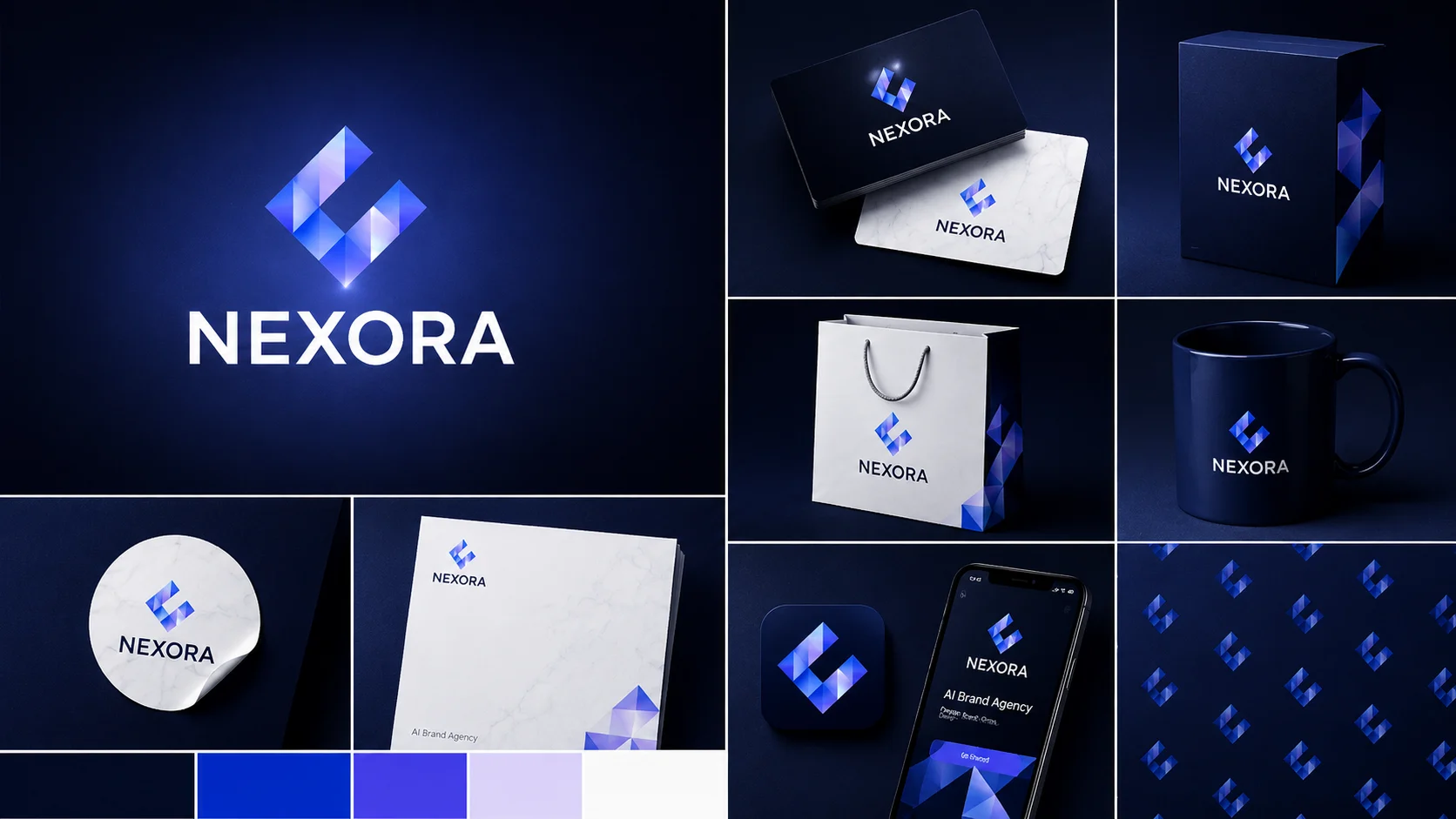
Table of Contents
How to Build a Complete Brand With AI in 2026: Logo, Website, Colors & Social Media
Launching a business used to mean assembling a small army of specialists.
You might hire a strategist to define your positioning, a designer to create the logo, another designer to build social media templates, a copywriter for your website, and a developer or website builder to put everything online.
For a startup founder, freelancer, creator or small business owner, that process can quickly become expensive and slow.
AI has changed the equation.
Today, it is possible to move from an initial business idea to a coherent visual identity, website and marketing assets using a much smaller tool stack. The important word, however, is coherent.
Generating a random logo with AI is easy. Building a recognizable brand is harder.
A real brand requires the logo, color palette, typography, messaging, website and marketing visuals to feel like parts of the same system. This is where a dedicated AI branding tool can be more useful than combining several unrelated generators.
Platforms such as Brandolia are designed around this idea. Brandolia currently combines a Brand Identity Studio, AI Website Builder and Marketing Visual Generator, allowing a business to create multiple brand assets from a shared direction rather than starting from zero for every asset.
This guide explains how to build a brand with AI in 2026, what you should automate, what still needs human judgment, and how to avoid ending up with a collection of attractive but disconnected assets.
What Does “Building a Brand With AI” Actually Mean?
The phrase “AI branding” is often reduced to logo generation. That is too narrow.
Your logo is one part of your identity, but customers experience your brand through dozens of signals: the colors on your homepage, the language in your headline, your Instagram graphics, the typography in a proposal, the style of your advertising and even the consistency between all of those elements.
Building a brand with AI therefore involves using artificial intelligence to develop several connected layers:
| Brand layer | What it answers | Example output |
|---|---|---|
| Strategy | Who are we and who do we serve? | Positioning, audience, personality |
| Messaging | What should we say? | Slogan, value proposition, tone |
| Visual identity | What should we look like? | Logo, colors, typography |
| Art direction | What visual world surrounds the brand? | Moodboard, imagery, graphic elements |
| Guidelines | How should everything be used? | Brand book and usage rules |
| Website | How is the brand presented online? | Landing pages, copy, sections |
| Marketing | How does the brand appear repeatedly? | Social posts, ads, banners, flyers |
An AI brand generator should ideally help these decisions reinforce one another.
If your positioning is premium and minimalist, the AI should not produce playful cartoon typography for your logo and neon social media graphics unless you deliberately request that contrast.
That difference—between generating assets and building a system—is central to modern AI branding.
Why AI Branding Is Becoming Popular With Small Businesses
There are three major constraints for early-stage businesses: money, time and expertise.
Traditional branding can deliver excellent results, particularly when working with an experienced designer or agency. But many businesses do not have the budget or time for a full custom engagement before validating their concept.
At the opposite extreme, creating everything manually using independent free tools can be inexpensive but highly fragmented.
A founder might create a logo in one tool, choose colors from another website, design posts in Canva, write copy with a general AI assistant and build a website in Wix.
Every individual output might be acceptable. The problem is what happens when they are combined.
The typography changes. The colors drift. The tone becomes inconsistent. Social posts no longer look related to the homepage.
AI branding platforms attempt to reduce that fragmentation. Brandolia, for example, currently generates logo variations, colors, typography, slogans, moodboards, visual elements and brand guidelines and also provides tools for websites and marketing visuals.
That makes the workflow fundamentally different from using a standalone AI logo generator.
The Traditional Branding Stack vs an AI-First Workflow
| Task | Traditional fragmented workflow | AI-first brand workflow |
|---|---|---|
| Brand positioning | Consultant / manual research | Guided AI brief |
| Logo | Designer or logo generator | AI brand identity system |
| Color palette | Manual selection | Generated from brand direction |
| Typography | Manual research | Coordinated font recommendation |
| Moodboard | Pinterest / design tools | Generated art direction |
| Brand guidelines | Designer / document | AI-generated brand book |
| Website | Wix, Webflow, developer | Integrated AI website builder |
| Website copy | Copywriter / AI chat tool | Generated from brand context |
| Social graphics | Canva / designer | On-brand marketing generator |
| Ads and banners | Separate design workflow | Same brand system |
| Consistency | Manual checking | Shared brand identity context |
The purpose is not necessarily to eliminate every specialized tool. A mature company may still need Figma, Adobe Creative Cloud, Webflow, Canva, professional photography and specialist developers.
For an early-stage company, however, an integrated workflow can dramatically reduce the number of decisions required to reach a professional starting point.
Step 1: Start With the Business, Not the Logo
One of the biggest mistakes in AI branding is opening a logo generator before defining what the business represents.
AI can generate hundreds of attractive images. That does not mean any of them is right for your business.
Start by answering five questions:
- What does the business sell?
- Who is the ideal customer?
- What problem does it solve?
- What should customers feel when they see the brand?
- What makes the offer different from alternatives?
Suppose you are launching a cybersecurity consultancy for small businesses. “Cybersecurity company” is too vague.
A more useful brand brief might be:
- Business: Managed cybersecurity services for companies with 10–100 employees.
- Audience: Founders and operations managers without an internal security team.
- Positioning: Enterprise-grade protection without enterprise complexity.
- Personality: Reliable, intelligent, calm and accessible.
- Desired visual direction: Modern, technical and trustworthy without looking aggressive.
That information gives AI a strategic foundation. The better your input, the less likely the model is to produce generic branding.
Step 2: Define a Clear Brand Personality
A brand personality acts as a filter for future creative decisions.
Imagine two accounting companies. One wants to attract venture-backed startups. The other serves retired individuals. They may provide similar accounting services, but their brands should probably feel completely different.
Useful personality dimensions include:
- serious vs playful
- traditional vs innovative
- premium vs accessible
- bold vs understated
- technical vs human
- energetic vs calm
Do not choose every positive adjective you can think of. “Modern, innovative, trustworthy, friendly, premium, bold, minimal, playful and elegant” is not a direction. It is a contradiction.
Select three or four traits that genuinely matter. A platform that uses the same brief across identity and marketing assets can then carry those traits through the rest of the creative process.
Step 3: Generate Your Visual Identity
Now you can begin creating visible assets. A complete visual identity should normally include more than a primary logo.
At minimum, consider:
- Primary logo: the main version used on your website and official materials.
- Secondary logo or variation: useful for narrower spaces or alternative layouts.
- Icon or mark: useful for social profiles, favicons and app icons.
- Color palette: primary, secondary and accent colors.
- Typography: headline and body font choices.
- Visual language: shapes, patterns, icons or graphic elements.
- Image direction: the style of photography or illustrations associated with the brand.
Brandolia's current Brand Identity Studio is designed to generate logos, logo variations, colors, typography, slogans and brand-book elements from a brand direction. It also includes moodboard and custom graphic-element functionality.
The advantage of creating these elements together is not simply speed. It is consistency.
Step 4: Evaluate the Logo Like a Business Asset
AI can generate something visually impressive that performs poorly as a logo. Ask practical questions before deciding.
- Does it remain recognizable when small?
- Can it work in black and white?
- Does the symbol still make sense without the company name?
- Would it work in a circular social media avatar?
- Can you place it on both light and dark backgrounds?
- Does it look sufficiently different from obvious competitors?
A great logo does not need to explain everything your company does. Apple's logo does not depict a computer. Nike's logo does not depict a shoe.
Your goal is to create a distinctive identifier that can accumulate meaning over time. AI should accelerate exploration—not replace judgment.
Step 5: Build a Deliberate Color System
Colors are often selected based purely on preference. “I like blue” is not a brand strategy. Think of colors as a system.
| Color role | Purpose |
|---|---|
| Primary | Main recognizable brand color |
| Secondary | Supports the primary color |
| Accent | Highlights buttons or important information |
| Dark neutral | Headlines, text, dark backgrounds |
| Light neutral | Backgrounds and spacious layouts |
| Functional colors | Success, error, warning states |
Consistency matters more than having many colors. If your website uses one shade of blue, your Instagram posts another and your pitch deck a third, the brand begins to feel improvised.
AI-generated palettes can give you a useful starting system, but always test contrast and accessibility before publishing.
Step 6: Choose Typography That Can Scale
Typography is one of the most underestimated components of brand identity. A company can have an excellent logo and still look amateurish because every document uses a different font.
Your typography system should specify at least:
- Headline font: creates personality.
- Body font: prioritizes readability.
- Weights: regular, medium, semibold or bold.
- Hierarchy: rules for H1, H2, H3, body copy, labels and captions.
For many small brands, two font families are enough. Often, one carefully selected family with multiple weights is enough. Simplicity makes consistency easier.
Step 7: Create a Moodboard Before Generating Everything Else
A moodboard establishes the visual universe around your logo. It can include photography styles, colors, textures, layouts, architecture, illustrations, patterns and other visual references.
This becomes especially important when AI is creating marketing assets. Without art direction, two AI-generated visuals created ten minutes apart can look as though they belong to completely different companies.
Brandolia includes a visual moodboard and art-direction layer as part of its branding workflow, allowing the wider visual language to be established alongside the identity.
Think of the moodboard as a creative constitution. It does not tell you exactly what every future image should look like. It defines the boundaries.
Step 8: Create Your Brand Guidelines
Once you have selected the core identity, document the rules. This is where a collection of design elements becomes a usable brand system.
A practical brand guide should explain:
Logo rules — Which logo is primary? How much clear space should surround it? Which variations can be used on dark backgrounds? What modifications are prohibited?
Color rules — List exact HEX values for digital use. If you print materials, consider RGB, CMYK or Pantone equivalents depending on your production needs.
Typography rules — Specify fonts, weights and hierarchy.
Imagery rules — Define whether your photography should feel candid, editorial, futuristic, warm, minimal or something else.
Tone of voice — Explain how the company should sound. Is the brand direct, technical, conversational, luxury-oriented or educational?
Examples — Show correct and incorrect applications where possible.
Brandolia describes its identity workflow as producing an exportable brand kit and guidelines designed to keep usage consistent across channels. That becomes particularly valuable once multiple people start creating content.
Step 9: Turn the Brand Into a Website
A brand only becomes useful when customers encounter it. For most businesses, the website is the most important place where that happens.
The website should not be designed as an independent project. It should be an extension of your brand system. Your colors, typography, messaging and visual language should already be defined before you start assembling pages.
A basic service website might include:
- Homepage: value proposition and primary conversion path.
- Services or product page: what you provide.
- About: credibility and story.
- Testimonials or proof: reduce buyer uncertainty.
- FAQ: answer objections.
- Contact or signup page: make the next action obvious.
Brandolia currently offers an AI website builder that generates responsive pages, sections and copywriting and describes the output as SEO-ready. The platform also provides HTML export functionality.
This is one of the main differences between an AI brand generator and a standalone logo tool. The identity does not stop at a downloadable image. It can become part of an actual customer experience.
Step 10: Write Website Copy Around One Core Promise
AI-generated copy can quickly become generic. The cure is not necessarily more prompts. It is clearer positioning.
A homepage should answer three questions almost immediately: What is this? Who is it for? Why should I care?
Compare these two examples.
Generic: “Transform your business with innovative solutions designed for the modern world.”
Specific: “Automated bookkeeping for independent consultants who want to close their books in minutes, not weekends.”
The second communicates customer, category and benefit. Give your AI system concrete information and insist on concrete language. Avoid meaningless phrases such as “unlock your potential,” “revolutionize your journey” and “next-generation solutions” unless you can explain exactly what they mean.
Step 11: Generate Social Media Assets From the Same Identity
Your social feed should not feel like a parallel brand. Use the visual system you already created.
Marketing graphics typically require a reusable library of formats:
| Asset | Common use |
|---|---|
| Square post | Instagram, LinkedIn |
| Portrait post | Mobile-first feeds |
| Story | Instagram/Facebook stories |
| Ad creative | Paid social campaigns |
| Quote card | Thought leadership |
| Announcement | Product updates |
| Carousel | Educational content |
| Banner | Profiles, campaigns |
| Promotional flyer | Events and offers |
Brandolia's Marketing Visual Generator currently covers social posts, ads, banners, flyers, business cards and mockups.
The strategic advantage is not that AI can generate a social graphic. Many tools can do that. The advantage is generating it with the same brand direction you already established.
Step 12: Build Repetition Into Your Marketing
Brands are built through repetition. Not monotonous repetition, but recognizable repetition.
Your audience should repeatedly encounter the same visual language, the same core positioning, the same tone, the same logo, the same color system, similar layouts and a consistent promise.
AI makes content production faster, but speed can actually make brand inconsistency worse if every generation goes in a different direction. The solution is to define the brand first, then scale production.
AI Logo Generator vs AI Brand Generator
This distinction deserves special attention. See also our full comparison: AI logo generator vs AI brand generator.
| Capability | AI logo generator | AI brand generator |
|---|---|---|
| Generate logo | Yes | Yes |
| Logo variations | Sometimes | Yes |
| Color system | Sometimes | Yes |
| Typography | Sometimes | Yes |
| Moodboard | Rarely | Often |
| Brand guidelines | Limited | Yes |
| Brand voice | Rarely | Often |
| Website creation | Rarely | Can be included |
| Marketing visuals | Limited | Can be integrated |
| Shared brand context | Limited | Core concept |
If all you need is a logo for a hobby project, a logo generator can be enough. If you are launching a company that will have a website, social media accounts, sales materials and advertising, you will probably benefit from a broader brand system.
You can also compare a Canva + Wix alternative if you currently split identity and website across two platforms.
When Brandolia Makes the Most Sense
Brandolia is particularly relevant for people who are starting from an idea rather than from an established design system.
- Solopreneurs — You need a credible identity, website and content without coordinating several contractors.
- Startup founders — You want to launch an MVP or landing page without spending weeks on branding before validating the product.
- Freelancers — You need either your own brand or a faster method of producing initial brand systems for client projects.
- Creators — You want your website and social media presence to look connected.
- Small businesses — You need professional consistency but may not have an internal design team.
You may prefer a professional designer or specialist platform when you need complex custom illustration, advanced product UI/UX, enterprise brand governance, highly customized e-commerce, large editorial websites, custom animation, sophisticated web applications, or a deeply differentiated brand strategy requiring research and stakeholder workshops.
AI is especially effective at accelerating the journey from zero to a strong first version. That does not make specialist expertise obsolete.
Common AI Branding Mistakes
- Generating before positioning — Without direction, AI produces variations rather than strategy.
- Choosing the first attractive logo — Generate broadly, then evaluate strategically.
- Using too many colors — A smaller palette is easier to remember and maintain.
- Changing style on every channel — Your Instagram account, website and pitch deck should feel related.
- Letting AI write generic copy — Specificity wins.
- Skipping brand guidelines — You will eventually forget why you made certain decisions. Document them.
- Mistaking speed for quality — AI can create 100 ideas quickly. Your job is still to select the right one.
A Practical AI Branding Workflow
- Day 1: Strategy — Define audience, positioning, personality and differentiation.
- Day 2: Identity — Generate and refine logo, colors, typography and visual direction.
- Day 3: Guidelines — Create the brand book and lock the core rules.
- Day 4: Website — Generate the initial site structure and copy.
- Day 5: Marketing system — Create reusable social posts, banners and advertising assets.
A process that once required coordinating multiple creative disciplines can now be compressed dramatically. The quality still depends on your decisions. But the production barrier is much lower.
How Much Does AI Branding Cost?
Costs vary substantially. You can combine free AI and design tools, subscribe to several specialized platforms, pay a designer or use an integrated branding platform.
Brandolia currently offers a free tier plus paid subscription plans. Its public pricing page lists logo creation/editing, social visual creation, AI website creation, complete color palettes, art direction, moodboards, custom graphic elements, website HTML export and access to the AI agent among its plan features. Download availability depends on the plan.
For current pricing, always check Brandolia's official website because SaaS pricing can change.
Is Building a Brand With AI a Good Idea?
Yes—if you understand what AI is good at.
AI is excellent at accelerating exploration, producing variations, turning a brief into visual directions, creating first drafts, maintaining reusable systems, generating supporting assets and reducing repetitive design work.
Humans remain critical for strategy, taste, differentiation, cultural understanding, legal checks, final quality control and deciding what the brand should mean.
The strongest workflow combines both. You define the business. AI accelerates execution. You evaluate the results. The system then helps you deploy those decisions consistently.
FAQ: Building a Brand With AI
Can AI create an entire brand?
Yes. Modern AI branding platforms can generate much more than logos, including colors, typography, moodboards, brand guidelines, website content and marketing visuals. The quality depends heavily on the quality of the initial business brief and the user's ability to select and refine outputs.
What is the best AI tool for creating a brand?
The best tool depends on your goal. Standalone logo generators are useful if you only need a logo. Canva is particularly strong for ongoing visual-content creation. Wix is particularly strong for website creation and business functionality. Brandolia is designed for users who want identity, website and marketing assets inside one AI brand-building workflow.
Can AI create a professional logo?
AI can create strong logo concepts and usable production assets, particularly for small businesses and early-stage projects. You should still review scalability, originality, readability and trademark considerations before adopting a logo commercially.
Can AI build my business website?
Yes. Several platforms now generate websites using AI. Brandolia's Website Builder generates responsive pages and copy within its branding workflow, while platforms such as Wix provide AI website generation alongside hosting and extensive website-management features.
Is AI branding cheaper than hiring an agency?
It generally has a much lower entry cost than a traditional branding engagement. However, they are not identical services. An experienced agency may perform customer research, workshops, competitive analysis and highly customized creative work that an automated platform does not replicate.
Do I still need Canva if I use an AI brand generator?
Not necessarily, but it depends on your workflow. Canva remains a powerful platform for producing a wide variety of visual content. If your priority is generating a brand identity and quickly extending it into a website and marketing assets, an integrated platform such as Brandolia may reduce the number of separate tools required.
Final Thoughts: Build a System, Not Just a Logo
The most important change AI brings to branding is not faster logo creation. It is the possibility of building an entire initial brand system without coordinating five different creative workflows.
The businesses that benefit most will not be those that generate the largest number of designs. They will be those that make a small number of strong decisions and apply them consistently.
Start with your customer. Define your position. Choose your personality. Then build the logo, colors, typography, visual language, website and marketing assets around that direction.
If you want to move from an idea to a complete visual identity, website and marketing system in one workflow, explore Brandolia.
One idea should not become ten disconnected designs. It should become one recognizable brand.